Category: Managing Your Online Team

  • Understanding the Role of Appointment Setters: An In-Depth Guide

    Understanding the Role of Appointment Setters: An In-Depth Guide

    Keeping track of meetings and qualifying appointments can be daunting. This is even more challenging if you’re juggling multiple tasks as your business grows.

    Hence, many entrepreneurs delegate non-core functions like appointment setting to experienced and skilled professionals. They schedule meetings and set up calendars, allowing you to focus on other important matters.

    In this article, we will provide a detailed guide on what an appointment setter is, how they can make your life just a little bit easier, and how they can potentially increase your bottom line.

    Appointment Setter Job Description: What is an Appointment Setter?

    An appointment setter is typically a professional who remotely handles appointments on behalf of a company or individual. Appointment setter responsibilities include:

    • Reaching out to potential clients through phone calls and emails;

    • Arranging appointments with existing customers;

    • Coordinating appointments to match everyone’s availability; and

    • Sharing the meeting’s purpose in advance.

    What is an Appointment Setter

    The most experienced appointment setters typically have good communicable skills, persuasive demeanors, and strong organisational abilities. As such, they can enhance your company’s customer service and maximise sales impact further.

    Key Skills for Appointment Setters: What Does An Appointment Setter Do?

    A good appointment setter takes over the grunt work of managing a busy schedule and making sure their clients don’t miss any important commitments. To make this happen, they rely on certain skills like:

    Communication Skills

    Appointment setters secure meetings by directly communicating with potential clients.

    They need to be articulate and persuasive, requiring both a deep understanding of the product and active listening skills to convince a prospect about why the company’s product or service is the solution to their problem/s.

    Moreover, an effective appointment setter knows how to tailor messages depending on the audience.

    For example, when reaching out to a high-level executive, they’re likely to be more formal while cutting to the chase when highlighting strategic benefits. In contrast, they might deploy a more casual and conversational approach when dealing with potential customers.

    Organisational Skills

    Appointment setters oversee a detailed calendar of appointments to schedule meetings efficiently and to prevent conflicts.

    Good organisational skills help them stay on top of everything so their clients don’t miss important appointments.

    Additionally, strong organisational skills empower appointment setters to meet deadlines, maintain productivity, and provide quality service consistently.

    [rcb_show_form]

    Persistence and Patience

    Handling rejections is par for the course, as not every prospect will express interest or agree to a meeting.

    A persistent appointment setter, however, sees rejections as opportunities to improve their approach. They also exercise great patience, especially when dealing with prospective or new clients who take time (and strategic follow-ups) to cultivate.

    Tech-Savviness

    The most effective appointment setters are adept at using Customer Relationship Management (CRM) software and scheduling tools.

    A tech-savvy appointment setter saves time and resources by using technology to

    • Connect with a wider audience,

    • Nurture leads through automated workflows, and

    • Track engagement metrics to refine their approach over time.

    This ability to use software and tools enhances productivity, improves client relations, and ultimately, increases appointment conversion rates.

    The Importance of Appointment Setting

    An appointment setter is an indispensable part of a growing business. They ensure a steady stream of potential clients and opportunities through:

    Improved Efficiency

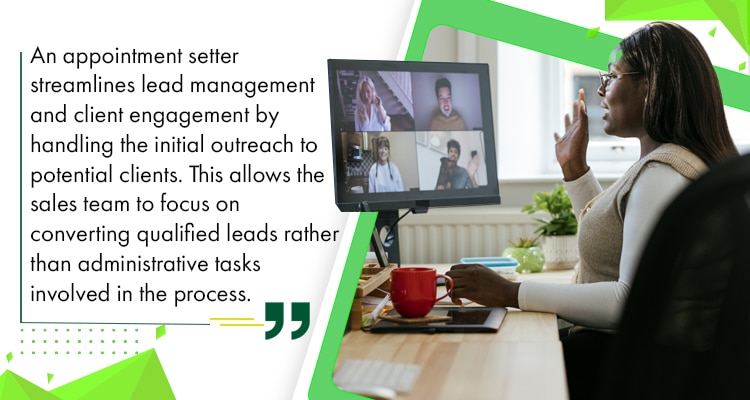
    An appointment setter streamlines lead management and client engagement by handling the initial outreach to potential clients. This allows the sales team to focus on converting qualified leads rather than administrative tasks involved in the process.
    Improved Efficiency

    For instance, an appointment setter can identify and contact potential clients on your company’s behalf. After gathering information about the client’s needs, they pass these on to the sales team, allowing them to tailor their presentation and address the client’s specific concerns.

    This organised approach saves time, reduces administrative burdens, and maximizes client interactions.

    Enhanced Client Relations

    Appointment setters are your front line when building positive client relationships. Thus, they need to make a good first impression and show genuine interest in the client’s needs.

    How?

    First, they contact a prospect who has shown interest in the product or service. The setter then takes time to understand their needs and pain points, before scheduling a meeting at the client’s preferred time.

    During the meeting, the appointment setter should provide a personalised pitch based on the client’s initial information. They then supplement this with consistent follow-ups and the timely scheduling of appointments to make their clients feel valued.

    Time Management

    Delegating appointment-setting tasks to skilled professionals helps business owners focus on other core business functions.

    If you’re running a real estate agency, for instance, an appointment setter can schedule meetings with potential buyers for you. They also keep your agents’ calendars organised so that they don’t overlap.

    Furthermore, they use scheduling software to automate reminders and confirmations. This saves time and helps maintain a smooth workflow for the entire business.

    In short, appointment setters keep everyone organised to put everyone’s time, energy, and talents to optimal use.. This allows sales agents and business owners to focus on improving their products and services or building better client relationships – instead of going back and forth over their schedules themselves.

    Increased Conversion Rates

    Appointment setters use a structured approach to make each potential client feel like they’re getting attentive service while moving them smoothly through the sales funnel.

    More importantly, they proactively follow up with prospects whom they weren’t able to close right away. This helps convert more leads since studies show that customers tend to say NO four times before saying YES.

    This strategic engagement is more successful at turning initial rejections into successful conversions, leading to higher sales and improved business growth.

    Pipeline Management

    Done right, steady appointment setting provides a steady flow of qualified leads. A good setter fills the sales pipeline with prospects who have expressed their interest in your products or services.

    Strategic appointment setting also involves segmenting leads based on their readiness to buy. This helps the sales team prioritise and focus on leads who are most likely to convert into sales.

    Pipeline Management

    In other words, appointment setters follow a systematic approach that drives lead generation, optimises resource allocation, and maintains consistent engagement with potential clients.

    Appointment Setting in the Australian Context

    Small businesses make up a large part of Australia’s economy. They’re 97% of the 2.6 million registered businesses.

    Many of these businesses rely on appointment setters for the efficient scheduling of meetings, consultations, reservations, and service appointments. These professionals often have the experience and expertise to offer personalised attention to customers, regardless of the industry they serve.

    In addition, appointment setting Down Under is often subject to the following considerations:

    Cultural Nuances

    Appointment setters must have a keen understanding of cultural nuances for successful interactions. Australians, for example, value clarity and directness. They also appreciate punctuality.

    Thus, appointment setters for AU businesses should ideally be straightforward and transparent about the meeting’s purpose – and start the meeting on time. They’re prompt about sending email agendas with agreed-upon times, but are open to client rescheduling.

    Regulatory Environment

    Australia requires strict compliance with privacy laws. Businesses must obtain consent before collecting personal data from clients and customers. There are even Australian regulations in place to prohibit unsolicited messages.

    Fortunately, professional appointment setters know their way around AU’s complex regulatory environments. Many have different ways of securing consent before collecting personal information, and informing prospects about opt-out options as required by AU laws.

    Time Zones

    Managing appointments across Australia’s three main time zones requires careful planning. To handle this, appointment setters use scheduling software that automatically adjusts to the recipients’ locations.

    They also send confirmation emails with the appointment times within the customer’s time zone. This helps avoid misunderstandings and most importantly, prevents missed appointments.

    In-House vs Remote Appointment Setters: Cost Snapshot

    In-house may look simple until you tally everything behind the salary. You’re funding the setup: hiring time, training, office space, tools, and ongoing management. Remote strips it back to the essentials.

    Monthly comparison (AU-facing business):

    Employment Type
    Base Salary (Monthly)
    Total Actual Cost (AUD)
    In-house
    $4,000 – $6,000
    ~$5,000 – $8,000+ (Incl. super, office, tools)
    Remote
    $1,200 – $2,500
    ~$1,200 – $2,500 (Minimal overhead)

    In-house gives you proximity, but that comes with a premium. Remote gives you cost control, and you’re also able to build out capacity if your process is already dialed in.

    Once appointment setting becomes a repeatable function, you’ll see which option makes better sense.

    AU Industries Where Appointment Setting Plays a Crucial Role

    While appointment setting can be helpful to any business, there are certain industries where it’s downright crucial.

    Healthcare

    Aside from business owners and entrepreneurs, Australian medical professionals also tap professional appointment setters to help facilitate patient care.

    These professionals use effective appointment systems integrated with electronic health records (EHR), allowing patients to:

    • Book appointments online;

    • Receive automated reminders; and

    • Access pre-visit instructions.

    This approach reduces no-show rates and enhances patient engagement and satisfaction.

    [aslcandidates id=’2000008′ subcat_id=’2000220′]

    Finance

    Australia’s financial sector is heavily regulated by the Australian Securities and Investments Commission (ASIC). They require financial advisors and consultants to keep clients well-informed about the details and the agenda of each meeting.

    This is where appointment setters come in. With their experience and expertise, they coordinate appointments based on their advisors’ availability and client preferences.

    By offering prompt service, appointment setters enhance the client experience, and by extension, the advisor in question’s reputation.

    Real Estate

    Many real estate companies also rely on appointment setters to coordinate property viewings and client meetings.

    They liaise between agents and clients, scheduling appointments and facilitating communication to accommodate both parties’ schedules. They also offer clients a range of available viewing times and send reminders to minimise no-shows.

    By sending detailed confirmations and reminders, appointment setters help real estate companies give positive client experiences. This, in turn, can expedite property and purchase processes.

    Legal

    Lawyers and legal professionals need appointment setters to manage client meetings, court appearances, and other legal proceedings.

    Appointment setters coordinate complex schedules between attorneys, clients, witnesses, and court officials. For instance, they inform all parties about the time, location, and purpose of important meetings or court appearances.

    With effective appointment setting, law firms can provide timely and effective legal services within the AU legal system.

    Travel and Hospitality

    Meanwhile, travel agencies and hotels rely heavily on appointment setters to manage customer interactions and operational logistics.

    A professional appointment setter, for instance, schedules consultations with clients regarding travel plans and itineraries. They can also help hotels manage reservations during peak seasons to maximise occupancy rates.

    In both instances, proper appointment setting is necessary for businesses to remain competitive in the travel and hospitality industries.

    Beauty and Wellness

    Lastly, aesthetic clinics and wellness centers rely heavily on efficient appointment setting to coordinate client visits.

    They let customers know about available appointment times for haircuts, massages, or facials. Appointment setters also send out reminders to reduce the chances of customers missing appointments, which is crucial especially during peak season.

    Aside from scheduling, appointment setters also maintain accurate records of client appointments, preferences, and treatment histories. This improves customer satisfaction and, in turn, boosts overall business profitability in a highly competitive industry.

    Operational Excellence

    Find Your Appointment Setters Today.

    Hire a Remote Staff specialist to support operations while you take care of your business vision.

    Trusted by 3,000+ businesses to scale remotely since 2007.

    Tools and Techniques for Effective Appointment Setting

    Appointment setters use several tools to streamline the scheduling process. They also rely on certain techniques to reduce no-shows.

    Let’s take a look at some of them:

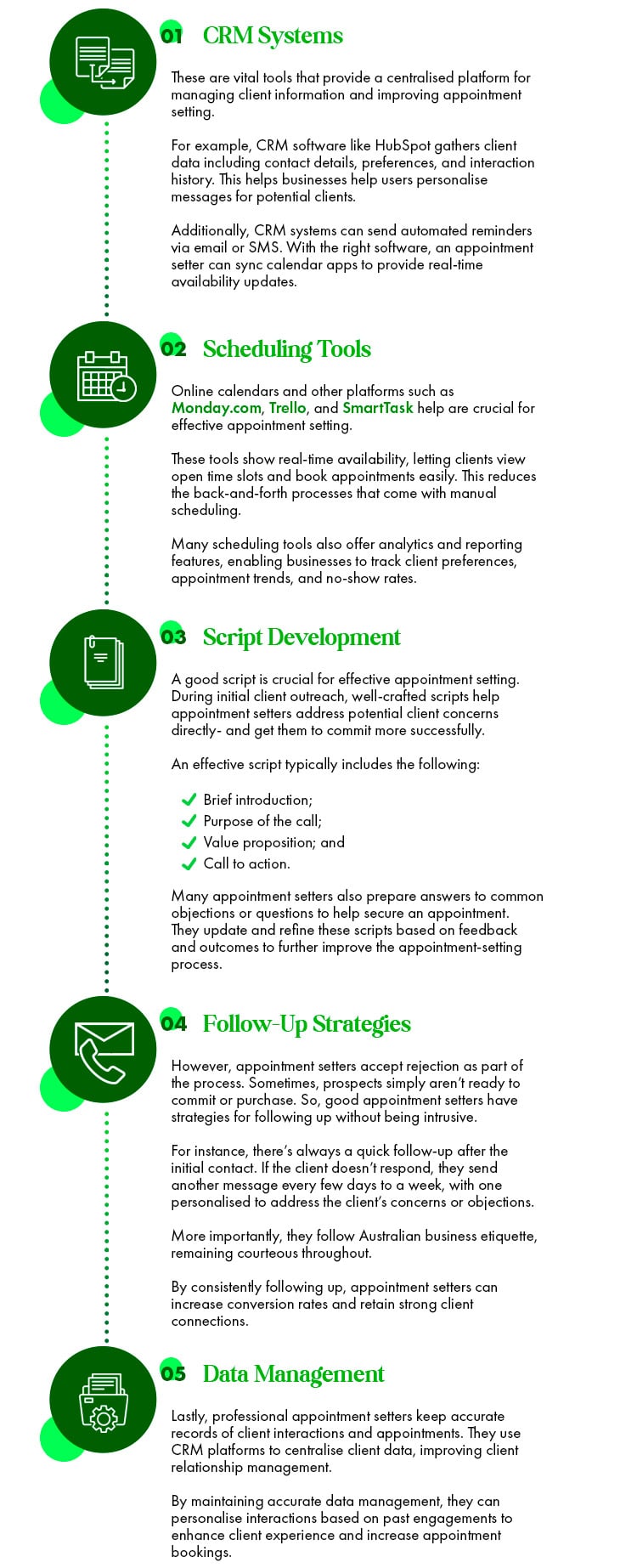
    CRM Systems

    These are vital tools that provide a centralised platform for managing client information and improving appointment setting.

    For example, CRM software like HubSpot gathers client data including contact details, preferences, and interaction history. This helps businesses help users personalise messages for potential clients.

    Additionally, CRM systems can send automated reminders via email or SMS. With the right software, an appointment setter can sync calendar apps to provide real-time availability updates.

    Scheduling Tools

    Online calendars and other platforms such as Monday.com, Trello, and SmartTask help are crucial for effective appointment setting.

    These tools show real-time availability, letting clients view open time slots and book appointments easily. This reduces the back-and-forth processes that come with manual scheduling.

    Many scheduling tools also offer analytics and reporting features, enabling businesses to track client preferences, appointment trends, and no-show rates.

    Script Development

    A good script is crucial for effective appointment setting. During initial client outreach, well-crafted scripts help appointment setters address potential client concerns directly- and get them to commit more successfully.

    An effective script typically includes the following:

    • Brief introduction;

    • Purpose of the call;

    • Value proposition; and

    • Call to action.

    Many appointment setters also prepare answers to common objections or questions to help secure an appointment. They update and refine these scripts based on feedback and outcomes to further improve the appointment-setting process.

    Follow-Up Strategies

    However, appointment setters accept rejection as part of the process. Sometimes, prospects simply aren’t ready to commit or purchase. So, good appointment setters have strategies for following up without being intrusive.

    For instance, there’s always a quick follow-up after the initial contact. If the client doesn’t respond, they send another message every few days to a week, with one personalised to address the client’s concerns or objections.

    More importantly, they follow Australian business etiquette, remaining courteous throughout.

    By consistently following up, appointment setters can increase conversion rates and retain strong client connections.

    Data Management

    Lastly, professional appointment setters keep accurate records of client interactions and appointments. They use CRM platforms to centralise client data, improving client relationship management.

    By maintaining accurate data management, they can personalise interactions based on past engagements to enhance client experience and increase appointment bookings.
    Tools and Techniques for Effective Appointment Setting

    Challenges and Solutions in Appointment Setting

    Getting clients to make and commit to appointments can be tough. Here are some common challenges and how hiring the right professionals can help you overcome them:

    High Rejection Rates

    Appointment setting is challenging due to high rejection rates from potential clients. Many customers may decline due to lack of interest or just plain old bad timing.

    So, how can a professional appointment setter help? Here are a just a few ways they can lower your rejection rates:

    • Refine and personalise scripts to make the benefits of your product or service more appealing;

    • Use data analytics from CRM systems to provide insights into client preferences; and

    • Offer flexible scheduling options.

    Done right, well-trained and highly-experienced appointment setters use these strategies to lower rejection rates, boost appointment success, and improve client acquisition and retention.

    No-Shows

    No-Shows

    Appointment setters also have to deal with no-shows. Left unchecked, these can disrupt schedules, waste resources, and affect client satisfaction.

    Trained professionals can significantly reduce no-shows by:

    • Implementing automated appointment reminders via email or SMS;

    • Sending messages after booking to solidify commitment;

    • Offering scheduling flexibility; and

    • Establishing clear cancellation policies.

    These strategies help businesses streamline their appointment setting for higher client satisfaction and attendance rates.

    Coordination Issues

    Managing multiple schedules and handling last-minute changes can be stressful.

    For example, managing appointments in the healthcare industry is challenging due to their high volume. To address this, appointment setters typically:

    • Use CRM systems with integrated calendar functionalities for real-time updates;

    • Confirm appointments and provide clear instructions to mitigate misunderstandings;

    • Ensure all parties are informed and prepared; and

    • Establish contingency plans or backup resources for unexpected cancellations.

    These solutions improve the client experience and enhance coordination efforts. Furthermore, the following strategies are also helpful:

    Training and Development

    Appointment setters are your company’s frontline representatives, so you should train them to behave in a way to engage your target audience better.

    Training and Development

    For instance, role-playing exercises provide practical experience to help them refine their approaches in different scenarios. It’s also helpful to have additional training for advanced scheduling tools and CRM systems.

    Technology Integration

    New technologies can disrupt workflows if you don’t break them in properly, so you need to prepare your staff accordingly.

    When implementing new software, it’s best to provide adequate training for your appointment setter/s beforehand. This allows them to familiarise themselves with the tool and understand its functionalities.

    Proactively involving them in the transition process gives them a sense of ownership and equips them with readiness to embrace changes.

    Feedback Mechanism

    Implementing effective feedback mechanisms can significantly improve the appointment-setting process. It allows you to gather insights from both clients and internal stakeholders.

    To do this, collect feedback from clients through surveys, post-appointment follow-ups, or direct conversations. Moreover, solicit feedback from your own staff to identify any training gaps and opportunities for streamlining workflows.

    Conclusion

    This proactive approach helps foster a culture of continuous improvement, allowing your business to adapt to evolving client and industry demands.

    Conclusion

    Appointment setting can be challenging on your own, but you can get better results with far less stress if you delegate it to professionals.

    The right ones can provide various appointment-setting benefits like lead generation, customised solutions, and enhanced customer engagement. This frees you up to focus on your core functions and grow your business faster.

    Maintain a growing customer pipeline and build a more stable business by delegating appointment setting to a professional today!

    Want to streamline your business operations? Check out these 100 AI prompts.
    Looking for world-class remote workers to join your team? Click here.
    Experience the advantages of a top global team and check out our 1,000 fully vetted and highly talented staff here.

  • Employer of Record (EOR): Here’s Everything You Need To Know

    Employer of Record (EOR): Here’s Everything You Need To Know

    Running a business involves financial planning, strategic direction, operational strategies, and growth projections. Additionally, it requires knowledge of legal compliance and obligations, particularly where employees are involved.

    As such, many companies turn to an Employer of Record (EOR) to handle compliance matters, making global expansion or business restructuring easier. This article serves as a complete guide on what an EOR is, how it can benefit your business, and how it differs from other employment solutions.

    Let’s take a closer look.

    What is an Employer of Record (EOR)?

    As its name suggests, an Employer of Record (EOR) employs workers on behalf of a company.

    EOR services are handy for global workforce management or international hiring, particularly when companies outsource non-core business functions to a remote workforce.

    EOR services are handy for global workforce

    These cover administrative and legal responsibilities including payroll compliance, employee benefits, tax compliance, and compliance with local labor laws. In essence, the EOR is the legal employer that takes care of:

    • Employment contracts;
    • Visa sponsorship;
    • Work permits;
    • Employee onboarding;
    • Regulatory compliance;
    • Labor law compliance
    • Employee benefits administration;
    • Other forms of HR compliance.


    [rcb_show_form]

    EOR services may also include the following:

    • Global employment administration;
    • Global employment compliance;
    • Global employment outsourcing;
    • Global employment management;
    • Global employment solutions;
    • Global employment support;
    • Global HR administration;
    • Global HR compliance;
    • Global HR compliance administrative services;
    • Global HR compliance management solutions;
    • Global HR compliance provider services;
    • Global HR compliance provider solutions;
    • Global HR compliance outsourcing services;
    • Global HR compliance solutions provider services;
    • Global HR management solutions;
    • Global HR outsourcing;
    • Global HR services;
    • Global HR solutions;
    • Global HR support;
    • Global payroll compliance; and
    • Global payroll services.

    Benefits of Using an EOR

    An EOR takes care of complex and time-consuming tasks around managing talents abroad, allowing companies to focus on their core operations. This makes them ideal for businesses that want to expand and build an international workforce without the additional stress and hassle of establishing an entity in different countries.

    The following are some benefits of using an EOR:

    Simplified International Hiring

    International staffing can be tricky as it requires complying with various laws and compliance regulations. Fortunately, an EOR serves as a bridge between companies and foreign employment regulations.

    When a business decides to expand to other regions, an EOR acts as the legal employer of the members of the distributed teams for administrative purposes. Meanwhile, the clients maintain control over day-to-day operations and strategic decisions.

    With this streamlined approach, you can quickly hire talents from different countries without the need to establish different legal entities abroad. This results in a smooth and painless hiring experience, making global talent acquisition easier.

    Compliance and Risk Management

    Different countries have varying labor laws, tax regulations, and employment standards. Hence, businesses operating across different regions may struggle to keep up.

    It’s expensive and rigorous to comply with local labor laws, tax regulations, and payroll systems, especially when you’re looking into tapping the workforce in various countries.

    An EOR offers businesses an easier path to global expansion

    An EOR offers businesses an easier path to global expansion by complying with all legal requirements related to cross-border employment. They stay on top of regulatory changes, helping companies stay updated on policies and procedures accordingly.

    This proactive approach reduces the burden on the company’s internal resources. It also protects businesses from possible legal disputes and reputational damage associated with international employment.

    Payroll and Benefits Management

    Managing an international payroll can be challenging considering different tax systems, social security contributions, and other statutory requirements.

    This is where an EOR comes in. They handle all matters pertaining to HR compliance and remote employee management like your employees’ health insurance, retirement plans, and other benefits mandated by various local laws or regulations.

    An Employer of Record also:

    • Provides in-depth guidance on local employment laws;
    • Resolves discrepancies in pay, if any;
    • Explains benefit options; and
    • Assists in enrolment of health insurance or retirement plans.

    By delegating these tasks to an EOR, companies can focus on their core operations and tap into global talent without worrying about administrative burdens and compliance risks.

    Cost Efficiency

    An international business expansion is costly. There are initial setup expenses, legal and regulatory compliance, and ongoing operational costs.

    Additionally, understanding and adhering to the local legal and regulatory requirements can be frustratingly complex. Mistakes in these areas can lead to hefty fines and legal disputes, further increasing the cost of expansion.

    EORs help you sidestep these by removing the need to set up a legal entity abroad so you can start operating immediately, reducing overhead costs and manpower requirements.

    How Does an EOR Work?

    EOR services may start after the recruitment process and don’t necessarily involve talent selection. They operate as the official employer for a company’s workforce in a certain geographical area. However, clients still retain control over their employees’ day-to-day activities and functions.

    EOR services may start after the recruitment process

    Here’s how it’s usually done:

    Step #1: Contract Agreement

    A contract agreement establishes your needs as well as the terms and conditions for an EOR-client company partnership.

    The contract should specify the fees for payroll processing, tax compliance, employee monitoring, benefits administration, and adherence to local labor laws. It should also determine the types of employment contracts and benefits packages involved.

    Most client companies also delegate some or most of these services to their EORs:

    • International employee onboarding;
    • International employee onboarding solutions;
    • International employee management services;
    • International employee management solutions;
    • International HR administration;
    • International HR compliance;
    • International HR compliance management;
    • International HR compliance management services;
    • International HR compliance support services;
    • International HR outsourcing;
    • International HR management;
    • International HR services;
    • International HR support;
    • International payroll administration;
    • International payroll administration services;
    • International payroll management;
    • International payroll management services;
    • International payroll services;
    • International payroll support;
    • International workforce management;
    • International workforce management solutions; and
    • International workforce solutions.

    A clear contract lists down your EOR’s responsibilities, leading to a smooth partnership and a more efficient global talent acquisition process.

    Step #2: Employee Onboarding

    Once you finalise the contract, your EOR can start with employee onboarding.

    The EOR will take over to collect all necessary documents from your staff in a certain location including their identification, tax forms, and other required paperwork. This step is crucial to ensure all legal and regulatory requirements are met, as these vary by country.

    This comprehensive onboarding process integrates hires smoothly into your organisation while meeting all legal obligations in the process.

    Get Matched AI Recruiter Banner

    Step #3: Payroll and Benefits

    An EOR will add your employees to their payroll and manage their taxes and benefits as required by local laws. Moreover, they educate employees about their health insurance, retirement plans, and other benefits.

    EOR services cover the entire benefits process from enrolling employees in benefit programs to handling claims and answering questions. They stay up-to-date with local tax laws involving tax deductions, social security contributions, and other statutory requirements.

    More importantly, they maintain accurate records and provide you with detailed reports such as payroll summaries, tax filings, and benefits usage.

    By delegating workforce management solutions such as payroll, managed devices, benefits, you reduce the administrative burden on your team, boosting productivity and efficiency.

    Step #4: Ongoing Support

    As the legal employer, the EOR serves as the point of contact for any employee-related issues. They address HR-related matters and help maintain employee satisfaction.

    Conversely, they handle exit paperwork and final pay calculations, making the transition easier for both the employee and the client company.

    You can also rely on an Employer of Record to handle day-to-day administrative tasks such as:

    • Managing employee records;
    • Updating any changes in employment status; and
    • Ensuring compliance with local labor laws.

    Their on-going support provides you with enough data to make informed decisions about staffing, budgeting, and compliance strategies. Most of all, you can rely on them to handle all employee-related tasks with utmost efficiency and professionalism.

    Hire in the Philippines Without Setting Up a Local Entity: Employer of Record EOR

    EOR vs. PEO: Understanding the Differences

    A lot of people conflate an Employer of Record and a Professional Employer Organisation (PEO). While they offer similar advantages and services, they also have key distinctions:

    Employer of Record (EOR)

    An EOR takes several administrative tasks off your hands by:

    • Becoming the Legal Employer – As the official employer of your remote workers, the EOR handles all employment responsibilities. They issue employment contracts, manage payrolls, withhold taxes, and administer benefits.This setup lets you grow your global workforce without dealing with the complexities of regulations and compliance from wherever you may choose to hire talent.
    • Amplifying Your Global Reach – An EOR is ideal if you want to hire employees in multiple countries without establishing local entities therein.This way, you can tap into new markets without the logistical or legal challenges associated with establishing and maintaining local offices.
    • Focusing on Compliance – EORs specialise in understanding and adhering to specific employment laws of each country where they operate.This meticulous approach mitigates the risk of any legal liability for the client company.

    Professional Employer Organisation (PEO)

    In contrast, a Professional Employer Prganization PEO offers the following services:

    • Co-Employment Model – An EOR is the legal employer on paper, while a PEO is just your co-employer.

    This means you’re still legally responsible for your employees and the PEO is just there to support your HR functions. Thus, you should still provide any documents for legal or compliance requirements.

    • Local Focus – PEOs typically operate within a single region. Thus, their scope only extends to local hires in that area.

    If you want to hire from outside their jurisdiction, you would require an EOR.

    • HR Outsourcing Services – PEOs are an outsourced HR department focusing on employee onboarding, performance reviews, contract termination, and other day-to-day HR services.

    In summary, a PEO is a co-employer that supports your company’s HR responsibilities, but you remain the legal employer for compliance and legal issues. Therefore, a PEO is only recommended if you’re only hiring domestically.

    Meanwhile, EOR services handle all employment-related tasks, enabling you to hire and manage an international team without the cost and hassle of setting up local entities in foreign countries.

    Choosing the Right EOR for Your Business

    Finding the right EOR for your team is a crucial decision.

    It will determine how efficiently your business operates and how you’ll keep costs down. More importantly, it will affect your company’s ability to attract and retain top talents across different regions and countries.

    Here are some of the things you need to look out for when choosing an EOR:

    Tip #1: Check Their Geographical Coverage.

    If you want to tap into a global workforce, partner with an EOR with extensive coverage across multiple regions. This comprehensive reach allows you to expand your workforce without establishing a legal entity in each location.

    If you want to tap into a global workforce

    For instance, if you want to hire software developers in the Philippines, Korea, and India, consider partnering with an EOR that has strong coverage in these regions. This way, they can provide valuable insights into each talent market without the need to create local branches.

    Tip #2: Look for Reputation and Experience.

    A good EOR should have a proven track record and a solid reputation for managing international employees.

    They should be able to navigate challenges efficiently, providing you valuable insights and suggestions on the best practices to keep the hiring process as smooth and painless as possible.

    In addition, they should already have established processes for managing local employment regulations, tax laws, and employee benefits in the countries you’re considering hiring talents from.

    Tip #3: Consider Their Cost Structure.

    Before selecting an EOR, make sure their pricing aligns with your budget and business goals.

    Typically, EORs charge fees based on the number of employees, the complexity of required services, and the geographic locations served. Be clear with your requirements and communicate these to your EOR.

    Conversely, they should provide transparent costing, detailing the fees for payroll processing, benefits administration, compliance management, and other additional services, if any.

    Tip #4: Check Their Customer Support.

    Lastly, the right EOR should be very responsive to employee concerns.

    Your liaison officer should be able to address concerns such as payroll issues, regulatory inquiries, and other similar concerns.

    The EOR must also understand local laws and cultural nuances to mitigate disruptions, along with the competence and experience in handling sensitive HR matters.

    FAQ

    Here are some of the frequently asked questions about EOR services:

    Why Should I Use an EOR?

    An EOR is a strategic remote work enablement model. Basically, it simplifies the process of hiring employees in different countries. This means that you can focus on offshore staffing without worrying about employee relocation and other intricacies that come with international employment. This allows your company to expand its international workforce more efficiently. Overall, an EOR acts as an international workforce management provider that helps you navigate cultural differences and labor market nuances.

    Can an EOR Handle Both Full-Time and Part-Time Employees?

    Yes! An EOR handles payroll, benefits, tax compliance, and legal issues for your international staff, whether they’re full-time, part-time, contractors, temporary staff, and remote workers. Moreover, they stay up-to-date with local labor laws to ensure employment agreements meet local standards. This helps businesses navigate complex regulations and maintain lawful operations in different regions.

    Is Using an EOR Cost-Effective?

    Whether you need an international employee management provider or an international HR compliance support provider, an EOR is the right way to go. It’s a cost-effective way to get the best talent available anywhere without having to set up a local entity in each foreign country. Moreover, EORs have the expertise for navigating local regulations and employment practices to ensure smooth operations. With the right EOR, you can reduce the financial and operational burdens typically associated with global expansion.

    Partnering With the Right EOR

    The right EOR can take administrative and legal burdens off your plate, allowing you to focus on growing your business by hiring the best talent from all over the world.

    Whether you’re a small business venturing into new markets or a large enterprise seeking to streamline your global workforce, an EOR can help ensure a successful international expansion.

    Looking for AI prompts to streamline business functions? Click here.

    Learn how to save and maximise on taxes through this guide.

    Ready to partner with the right EOR? Click here.

    Check out our 1,000 fully vetted and highly talented staff here.

    Trending, In-Demand Topics in today’s AU Marketplace
    👉 Learn about the Modern Slavery Act Australia, active reforms, and whether your business is compliant.
    👉 Payday Super 2026 Rules Australia is coming. Here’s how to go about the Superannuation Guarantee.
    👉 Understand What Does a Marketing Automation Specialist Do as you pursue the hire.
  • How to Ensure Productivity While in a Remote Setup

    How to Ensure Productivity While in a Remote Setup

    A few years ago, working from home was a privilege available only to a few. Today, remote work in itself is a signing bonus and even a non-negotiable for many.

    It’s not hard to see why. Remote work offers many advantages such as flexibility, cost-effectiveness, and a generally healthier work-life balance. Studies even show that working from home improves employee productivity!

    But how can you ensure that you – or your employees – are productive, even and especially when working remotely?

    Let’s take a look.

    What is a Remote Setup?

    What is a Remote Setup

    A remote work setup is one where you’re free to work from home or any other location. All you need is a computer or laptop and a stable internet connection.

    Elements of a Remote Setup

    Remote work is usually a combination of three things: work environment, technology, and structure.

    1. Work Environment

    This refers to the physical space where you work.

    Making it conducive to productivity is crucial. For instance, you need an ergonomic chair and a comfortable desk to minimise discomfort while working long hours. Adequate lighting such as natural light coming from large windows also helps, reducing eye strain and improving your focus.

    2. Technology

    Meanwhile, technology refers to the tools and software you need to perform your job. This varies depending on your profession, but in general, these include computers, modems and routers, project management tools, and communication platforms.

    A reliable internet connection and a fast, updated computer are essential for remote work. As of this writing, the most popular project management tools are Trello, Monday.com, and ClickUp.

    To stay connected with your team, you can use virtual communication platforms like Zoom, Skype, or Slack.

    3. Routine and Structure

    Lastly, routines help you be more productive while maintaining a healthy work-life balance.

    Many entrepreneurs and remote work professionals follow a daily schedule. They set aside their most productive hours or time blocks for the most crucial tasks.

    Flexibility

    Remote work is often preferred for its flexibility. Instead of a fixed 9-5 schedule, individuals can align their working hours according to when they are most productive.

    For example, night owls can work well outside the usual office hours while early birds can start at dawn and finish by noon.

    Flexibility

    Either way, remote work can accommodate your natural working rhythm. More importantly, it enables you to design your work around your life instead of the other way around. Without being tied down to a fixed schedule, you can take your kids to school, go on a random jog, or take a quick nap to recharge – so long as you get things done.

    Best of all, you can work from anywhere – be it your home, a co-working space, or even while you’re off traveling to your dream destinations.

    Common Challenges and Downsides of Remote Work

    Working remotely is undoubtedly beneficial, especially for those who crave flexibility and autonomy. However, just like any other work setup, it’s not without challenges.

    Isolation and Loneliness

    Working remotely can be a breath of fresh air. Its inherent flexibility provides more freedom for those who value independence. However, it can also be lonely for some due to the following:

    • Lack of Face-to-Face Interactions – Humans inherently need social interactions to foster emotional connection, empathy, and understanding. Thus, going without face-to-face interactions for too long may affect one’s mental health and overall well-being. This is especially the case for extroverts who seek constant social interactions with colleagues and friends in a traditional office, for instance.
    • Less Chances to Build Connections – Remote work may also make it difficult to establish and maintain professional connections. In an office setting, workmates can go out after work. They may also attend several events like team-building activities in person.

    This can be more difficult -and costly- for remote workers who live in different cities or countries.

    Distractions at Home

    Working from home has its advantages. It saves you money on transportation, meals, and other expenses that come along with having to report to the office.

    Distractions at Home

    Yet it can be more difficult to avoid distractions if you work in the same place you reside, such as:

    • Family Members and Household Chores – Parents, for example, may find it challenging to balance work demands with child care during school breaks. Household responsibilities throughout the day can also disrupt workflow, making it difficult to concentrate on tasks and build momentum.
    • Lack of a Designated Workspace – Working on dining tables, couches, or even beds can lead to physical discomfort, decreased productivity, or blurred boundaries between your professional and personal life.
    • Digital Distractions – Without a structured environment (and a manager looking over your shoulder), it’s easy to fall into the trap of endless browsing. Constant Instagram, Facebook, or TikTok notifications can lure you down a social media rabbit hole – and away from things that need to be done.

    Thus, without clear boundaries at home, remote workers often struggle to focus and maintain productivity, resulting in burnout or working longer than they should.

    How to Maintain Productivity While Working Remotely

    As studies show, you can be very productive while working remotely. It just takes some intentional strategies to manage time, maintain focus, and minimise distractions.

    Let’s take a look at some of them:

    Setting Up a Dedicated Workspace

    As mentioned earlier, the lack of a designated workspace can blur the line between your personal and professional tasks. Conversely, you can improve your productivity by setting up and investing in a dedicated workspace, equipping it with:

    • Ergonomic Furniture – Invest in a chair, desk, keyboard, and mouse designed to support the body’s natural posture. This reduces strain, preventing discomfort such as back pain, carpal tunnel syndrome, and neck strain.
    • Good Lighting – Proper lighting reduces eye strain and fatigue, enhancing your focus and efficiency. Natural light is ideal, thus, it’s best to position your desk near a window. This creates a brighter workspace which can improve your mood and energy levels.
    • Necessary Tools – A dedicated workspace involves at least one reliable computer (whether you prefer a laptop or a desktop) and fast, stable internet. For some tasks like graphic design or data analysis, you might need an extra monitor for a larger and more comfortable viewing area. This reduces the need to switch between multiple browsers or tabs.
    • Personal Touches – You can also personalise your workspace by adding your favorite mug, a cozy blanket, or a stress ball. If you love nature, you can add plants to your workspace to create a calming atmosphere. Some remote workers take it to the next level and add scented candles or oil diffusers to their home workspace.

    By selecting furniture that suits your needs and decor that resonates with your style, you can enhance your workspace’s comfort and functionality.

    Setting Up a Dedicated Workspace

    This can translate into increased productivity, greater job satisfaction, and a more pleasant remote working experience.

    Establishing a Routine

    Aside from creating a conducive space for working, you should also have a well-defined routine. Here’s how:

    • Set Clear Work Hours – Consider your most productive times of the day and align them with tasks that require the most concentration or creativity. It’s also important to inform the people who live with you about your working hours so that they won’t disturb you. Let your team know about these hours as well so they know the best time to reach out to you and when to schedule meetings and the like.
    • Develop a Pre-Work Ritual That Works for You – This helps you make a more effective transition from personal time to work mode. For instance, you can meditate or have breathing exercises before you open your laptop. You may also prepare a nutritious meal instead of checking emails first thing. Basically, the right preparation can put you in the best frame of mind before working.
    • Set -and Follow- Specific Break Times – Rest is just as important as work. Thus, you have to schedule when to step away from your workspace and disconnect. This helps preserve mental clarity, especially when dealing with stressful projects or workmates. Some remote workers prefer activities like walking, jogging, or mediating during breaks. You can also do yoga, read a book, or anything else that’s relaxing and not work-related.
    • Establish an End-of-Day Routine – Have an end-of-day routine to signify a deliberate transition from work mode to personal time. This applies whether your workday ends in the evening or morning. Start by reviewing your accomplishments and tasks for the entire workday. This creates a sense of achievement and prepares you for what to do the next day. You can also clear your workspace, helping you physically and mentally disengage from work-related thoughts.

    Leveraging Technology

    Technology can help you maintain and boost productivity, especially when you know which platforms and apps to use. Here are some examples:

    • Time Management Apps – Remote workers can benefit from apps that let them create to-do lists with deadlines and priorities. Time management apps such as Todoist, Toggl, and RescueTime often integrate with calendar systems, allowing you to meet deadlines more easily.
    • File Sharing and Collaboration Tools – Google Workspace, Microsoft 365, and Dropbox Business allow remote workers to create, edit, and share documents real-time. This is especially ideal for distributed teams. Best of all, these tools have security features like data encryption, access controls, and audit logs to safeguard sensitive information.
    • Communication Tools – You also need tools like Slack, Skype, or Microsoft Teams for real-time messaging. Video calls are essential for delivering presentations, trouble-shooting issues as a group, and meeting new clients remotely. Overall, it helps you discuss requirements, provide project updates, and receive (or give feedback) instantaneously.

    Staying Connected with Colleagues

    Some individuals may feel isolated after working remotely for quite some time. Fortunately, there are ways to address this– without returning to a traditional office setting. Here’s how:

    • Have Regular Check-ins – Working remotely doesn’t mean working alone. You’ll still be working closely with your team on your current projects, tasks, and deadlines. You can help build camaraderie by scheduling regular check-ins. For instance, some companies hold virtual games as part of team-building activities. This helps everyone find common ground regardless of their location.
    • Organise Virtual Coffee Breaks – A lot of remote teams also bond during virtual coffee breaks. Everyone can enjoy a cup (or two) of coffee whether they work mornings or nights. Aside from helping you stay awake, this helps build camaraderie and reduces any feelings of isolation.
    • Uphold the Importance of Clear Communication – Every email and instant chat message can be easily misinterpreted, resulting in misunderstandings and conflicts. But this problem arises in any workplace setting, not just remote ones. To mitigate this, try to be clear and concise in your written communications. Always use “please” or “thank you” if you need any help or favors. In case you have more delicate concerns, it’s best to schedule a call or video call to sort things out clearly.

    Managing Distractions

    Working remotely provides individuals with flexibility and autonomy. However, this freedom also comes with the responsibility of managing distractions effectively. Therefore, any remote worker needs to stay focused to remain productive.

    Managing Distractions

    You can start by:

    • Setting Boundaries – Establishing a designated workspace is a good start. Next is allocating regular working hours and adhering to them. Make sure the people you live with are aware of this to minimise interruptions. It’s also crucial to avoid multitasking, such as attending a meeting while doing household chores. This can lower your productivity and might lead to embarrassing situations, like accidentally turning on your camera while doing the laundry, for instance.
    • Limiting Social Media Usage – Social media is designed to keep you scrolling and engaged, which can disrupt your focus and workflow. Thus, set specific times to check your accounts, turn off non-essential notifications, and use social media blocker apps to prevent mindless scrolling.
    • Eliminating Background Noise – Street sounds, background TV, or a crying baby can make it challenging to focus on work. Therefore, eliminating background noise is crucial for maintaining productivity. Start by choosing a quiet room or corner and use noise-canceling headphones to block out ambient sounds. Lastly, inform your housemates about important meetings so they can keep their voices down during calls.
    • Practicing Mindfulness – Mindfulness involves taking intentional breaks. Guided breathing exercises, simple yoga, or short meditation sessions can boost mental clarity, reduce stress, and improve focus. More importantly, these practices help manage feelings of isolation and promote a healthy work-life balance by giving your mind time to rest and recharge.

    Taking Care of Your Well-being

    A healthy mind and body still remain your best asset, whether you work remotely or in an office. Here’s how you can stay in tip-top shape and at the top of your game:

    • Exercise Regularly – Being physically active greatly benefits your mind and body. Regular exercise boosts stamina, releases endorphins, and reduces physical tension from prolonged sitting. Exercising outdoors also provides a change of scenery and exposure to natural light. Morning workouts, for instance, can set a productive tone for the day. But if you work late night shifts, you can try simple stretches or quick home workouts.
    • Eat Healthy – Working from home is not an excuse to eat whatever is in your cupboard. You should still try and prepare healthy meals with fruits, vegetables, whole grains, and lean proteins. Avoid sugary snacks and excessive coffee. Drink plenty of water to stay hydrated and to improve your concentration.
    • Prioritise Your Mental Health – A healthy body requires a healthy mind. Take care of your mental well-being by doing relaxing activities like stretching, meditating, or deep breathing exercises. You can also read your favorite book, watch a funny video, or chat with a housemate. Taking short breaks helps reduce mental fatigue, keeping your mind refreshed and active.

    The Pomodoro Technique

    This popular time management technique capitalizes on burst of sustained energy and concentration, breaking work down into manageable intervals, usually 25 minutes in length. Here’s how it’s done:

    • Plan Your Tasks – List the everything you need to accomplish and rank them according to importance or urgency.
    • Choose a Timer – You can use an alarm clock, a mobile app, or a desktop application. There are also popular Pomodoro apps such as TomatoTimer and Pomodone.
    • Focus for 25 Minutes – Set your timer for 25 minutes and work on a single task without interruptions. When the timer goes off, take a 5-minute break to rest and recharge.
    • Take Long Breaks – Once you complete four Pomodoros in a row, you can take a longer break for 15-30 minutes.

    Many individuals procrastinate when they feel overwhelmed by a lot of tasks.

    By breaking these down into smaller, more manageable pieces, you can pace yourself better and get more done.

    Measuring Productivity at Remote Work

    Once you’ve managed to weed out all distractions, it’s time to identify the appropriate means and methods of measuring remote work productivity. These include:

    • Output-Based Metrics – Some companies determine their remote employees’ productivity through their completed projects, delivered reports, and code written, among others.
    • Time-Based Metrics – You can also measure a remote worker’s output through time tracking or hours worked. This is often done through software such as Toggl, Time Doctor, and Harvest.
    • Task Completion – Some teams use task completion rates and milestones to check their team members’ productivity. Project management tools like Asana, Trello, or Jira can help you monitor your remote team members’ individual progress.
    • Client/Stakeholder Feedback – Gathering information from your clients and stakeholders is also helpful to assess how productive your employees are. Instead of checking how many hours they’ve worked, it’s best to see if they deliver adequate or perhaps even excellent service.
    • Team Collaboration and Engagement – There are also instances where remote workers are assessed based on their level of collaboration and engagement. This approach takes into account their participation, suggestions, and contributions during brainstorming sessions, meetings, and other teamwork activities.

    FAQs

    Remote work is becoming popular among professionals, but many questions about going about it remain, such as:

    Q: What is a remote setup and why is it beneficial?

    A remote setup is an arrangement that allows you to work from anywhere, be it your home, a co-working space, or your favorite coffee shop.

    Many professionals and business owners prefer a remote work setup due to a variety of benefits, including:

    • Greater Flexibility – Remote work offers greater flexibility and work-life balance. Since they’re not required to be in the office from 9-5 PM, they can work their jobs to fit their lives instead of the other way around- so long as things get done on time.
    • Cost Savings – Business owners can save big on office space, utilities, and other overhead expenses associated with maintaining a physical office. Meanwhile, employees can save on transportation costs and dining out.
    • Better Productivity – Studies have shown that remote work can lead to increased productivity. With the right workspace, mindset, and support, both employers and employees are better incentivised and equipped to deliver fast and high-quality results.

    Q2: Why is maintaining productivity challenging in a remote setup?

    Without discipline and proper task management, remote work won’t be as conducive to productivity. You have to manage distractions, set up workspace stations that are optimal, and develop a routine. Furthermore, you need to find ways to prioritise self-care.

    Technical issues, such as unreliable internet connections, can also be a source of stress and frustration. Power interruptions or website bugs may impede productivity as well. Hence, you need to have backup and contingency plans in the absence of onsite tech support.

    Once you figure out all of these, however, remote work can be incredibly rewarding.

    Q3: How can technology help improve remote work productivity?

    Technology makes remote work possible. It’s also the reason why you can be productive regardless of where you are.

    Project management tools, communication platforms, time-management apps, and file-sharing services help streamline work processes. They also enhance collaboration and improve your overall productivity. You just need to find the right apps and software.

    Working Productively While Working Remotely

    Remote work can be very productive if you do it right. It just takes the right mix of discipline, prioritisation, and effective use of technology.

    Working Productively While Working Remotely

    Start by setting up a conducive work environment. Then, establish a routine with the right tools and equipment. Don’t forget to stay connected with your colleagues through the right communication channels.

    Finally, take intentional breaks to relax your body and refresh your mind. Move around, eat healthy, and make time for activities that give your mind a breather from work.

    This will help you maintain a positive mindset, be productive, and achieve your personal and professional goals – no matter where you work.

    • Want AI prompts to help you work faster and be more productive? Check out these 100 AI prompts.
    • Curious about how to save and maximise on taxes? Learn more here.
    • Ready to build a fully remote team with the right people? Click here.
    • Check out our 1,000 fully vetted and highly talented staff here.
    [rcb_show_form]

  • Managing Workplace Conflict and Other Strategies for a Harmonious Work Environment

    Managing Workplace Conflict and Other Strategies for a Harmonious Work Environment

    Workplace conflicts are inevitable in any organisation, arising from different factors like differences in opinions, miscommunications, or competition over resources.

    Effectively managing these conflicts is important for sustaining a productive and harmonious work environment.

    Read here to understand more about the causes of team conflicts and why it’s important to address them properly.

    Why Do Workplace Conflicts Occur?

    For you to handle workplace conflicts effectively, it is essential to understand their root causes and their impact.

    Workplace conflicts are the result of various factors:

    Miscommunication: Misunderstandings due to poor communication.

    Poor communication is the most common culprit behind workplace conflicts.

    Misunderstandings can arise from:

    • Unclear instructions
    • Lack of feedback
    • Misinterpreted information

    Different Values: Conflicting personal values or ethics.

    Individuals bring their own set of values and ethics to the workplace, which can sometimes clash with those of their colleagues or the organisation’s.

    Perceived Lack of Fairness or Transparency.

    The lack of opportunities for advancing one’s career or sharing limited resources can create tensions between employees e.g. unfair competition: the scarcity of promotions, recognition, or resources can increase the incidence of unethical behavior amongst peers in the workplace.

    Conflict also typically happens in work environments with a Personality Clashes: Irreconcilable differences leading to disagreements.

    Perceived Lack of Fairness or Transparency

    When team members have opposing personalities, it can lead to misunderstandings and disagreements, particularly if there is a lack of respect or understanding.

    Work Style Differences: Variations in how people approach work.

    Diverse approaches can enhance a team’s performance but can also lead to conflicts if not managed well.

    Differences in how team members manage their time, prioritise tasks, or approach problem-solving can create friction.

    Why is Managing Workplace Conflicts Important?

    Effectively managing workplace conflicts restores peace and most importantly, fosters an environment where all employees can thrive.

    Impact on Productivity

    Unresolved conflicts can significantly hinder productivity.

    Having to constantly watch your back can lead to:

    • Delays in project completion
    • Numerous errors
    • Compromised time management

    Employee Morale

    Conflicts can severely affect employee morale.

    Ongoing disputes can increase turnover rates and may lead to:

    • Job dissatisfaction
    • Increased stress
    • A negative workplace atmosphere

    Organisational Health

    Peace and order within the workplace depend on how effectively your organisation’s leaders manage conflicts.

    A healthy workplace is one where conflicts are resolved constructively, fostering a culture of collaboration and mutual respect.

    Organisational Health

    Effective conflict management can prevent disputes from escalating and affecting the broader workplace.

    Unresolved conflicts can detrimentally impact organisational health by:

    • Decreasing communication and trust
    • Creating a toxic work environment
    • Reducing job satisfaction and productivity
    • Increasing employee turnover

    Types of Workplace Conflict

    Navigating workplace conflicts is an inevitable part of any professional environment.

    Recognising the types of conflicts helps you address them effectively to restore a harmonious (and productive) work environment.

    Interpersonal Conflicts

    Interpersonal conflicts arise when individuals clash due to:

    • Personal differences
    • Miscommunication
    • Conflicting values

    These disputes can be particularly disruptive as they affect the emotional and psychological well-being of those involved, leading to tension within the team.

    Intragroup Conflicts

    Intragroup conflicts occur within a single group or team, typically stemming from disagreements over:

    • Work responsibilities
    • Project goals
    • Decision-making processes

    These conflicts can hinder collaboration and affect the team’s ability to achieve its objectives efficiently.

    Intergroup Conflicts

    Intergroup conflicts happen between different groups or departments within an organisation.

    Often linked to competition for resources or conflicting objectives, these disputes can escalate quickly if not managed properly.

    Signs of Workplace Conflicts

    Recognising the signs of conflict early is vital to preventing them from escalating and adversely affecting the workplace.

    Behavioural Changes

    One of the first signs of conflict is a change in employee behaviour that might include:

    • Increased instances of arguments
    • Withdrawal from participation
    • Overt expressions of dissatisfaction and frustration

    Signs of Workplace Conflicts

    Decreased Productivity

    When teams are embroiled in conflict, productivity often suffers.

    The focus shifts from getting work done to having to watch their backs, leading to:

    • Delays
    • Missed deadlines
    • Subpar performance

    Increased Absenteeism

    An uptick in absenteeism can also indicate unresolved conflicts.

    Employees may start taking more sick days or personal leave to avoid tense situations, which can further strain the team and hamper the continuity of their workflow.

    How to Resolve Workplace Conflicts

    Effectively resolving conflicts is key to restoring and maintaining a productive and positive work environment.

    Open Communication

    Promoting open communication is essential to conflict resolution.

    Creating a culture that cultivates open, healthy dialogue can prevent many disputes from arising and help resolve other issues.

    And speaking of dialogues…

    Implementing Conflict Resolution Policies

    Encourage Honesty and Transparency

    Create a safe environment for employees to express their concerns without fear of repercussion.

    Facilitating open discussions helps you understand the root causes of conflicts to find mutual ground.

    Active Listening

    When managing conflicts, listen to all parties involved without interruption.

    To understand each person’s perspective, listen with the intent to understand rather than to respond. This is key to get the insight you need to resolve disputes fairly and effectively.

    Clarify and Confirm

    To guarantee that all parties are on the same page, it’s helpful to have a recap of the discussion.

    This practice can lead to a better and mutual understanding and help ease tensions.

    Mediation and Facilitation

    When moving from understanding and identifying conflicts to actively resolving them, mediation and facilitation play critical roles.

    These involve structured, guided interactions that aim to resolve disputes amicably and effectively.

    Neutral Mediator

    Employing a neutral third party to mediate conflicts can help maintain objectivity.

    A mediator facilitates discussions so that all parties are heard without bias, which can significantly ease tensions and lead to mutual understanding.

    Structured Meetings

    Conducting structured meetings where each party has the opportunity to present their viewpoint is another effective strategy.

    This formal setting guarantees that discussions remain focused and productive, with each participant having equal time to share their side of the story.

    Facilitation Techniques

    Using facilitation techniques during these meetings can guide the conversation towards resolution.

    Techniques may include:

    • Setting ground rules
    • Using visual aids to map out disagreements and understandings
    • Actively managing the pace of the meeting to keep discussions constructive

    Collaborative Problem-Solving

    After laying the groundwork through effective mediation, transitioning to collaborative problem-solving can yield practical solutions to workplace conflicts.

    Identify Common Goals

    Focusing on shared goals and interests helps find common ground among conflicting parties.

    It shifts the narrative from confrontation to collaboration, making it easier to address the underlying issues.

    Brainstorm Solutions

    Encouraging brainstorming sessions allows all parties to contribute creative solutions.

    This inclusive approach can uncover innovative ways to resolve conflicts that might not be as apparent in a more confrontational setting.

    Agree on Action Plans

    Finally, establish a plan that outlines the steps each party will take to resolve the conflict that can solidify the agreement.

    This plan should include clear responsibilities, timelines, and follow-up measures to guarantee conflict resolution and prevention.

    Training and Development

    Investing in the right training and development enhances conflict management within the workplace.

    These equip employees and leaders with the necessary tools and skills to handle disputes effectively and foster a positive work culture.

    Conflict Resolution Training

    The right resolution training programs can empower employees to address and resolve most common conflicts with little to no direct intervention from management.

    Examples of conflict resolution training typically cover strategies like:

    • Mediation focuses on the art of mediating disputes between parties, teaching participants how to facilitate discussions and work toward a solution.
    • Negotiation involves understanding and articulating their own needs while also recognising and respecting the needs of others.
    • Problem-solving enhances participants’ ability to identify the root causes of conflicts and develop logical and creative solutions.

    Leadership Development

    Training leaders to handle conflict effectively is essential.

    After all, it’s part of a leader’s job to manage disputes efficiently and model the right behaviour for a respectful and collaborative work environment.

    Communication Workshops

    Organising workshops to enhance communication skills across the organisation can significantly reduce misunderstandings that lead to conflicts.

    These workshops focus on elements that are vital in preventing workplace disputes, such as:

    • Active listening teaches participants how to listen intently to what others are saying without the purpose of responding but to understand the speaker’s perspective.
    • Clear messaging emphasizes the importance of conveying information clearly and effectively.
    • Non-verbal communication cues help participants become more aware of their own non-verbal cues and more sensitive to others’ cues for smoother interactions.

    Implementing Conflict Resolution Policies

    Creating and implementing robust conflict resolution policies is another critical step towards managing workplace disputes effectively.

    Developing Policies

    Clear guidelines and procedures help standardise the management of conflicts for a fair and consistent handling of all cases.

    Clear Guidelines

    Developing clear guidelines for resolving conflicts provides a transparent framework that helps prevent disputes from escalating.

    These guidelines outline acceptable behaviours and the steps to take when a conflict arises.

    Step-by-Step Procedures

    Outlining step-by-step procedures provide a clear guide on how to proceed when employees encounter a dispute.

    This helps manage expectations and provides a clear path to resolution.

    Roles and Responsibilities

    Analyse the roles and responsibilities of all parties involved in conflict resolution so that everyone knows their part in the process.

    Knowing your role can streamline or expedite resolution and reduce confusion.

    Training and Awareness

    Effective conflict resolution policies are vital, but their success ultimately depends on thorough training and awareness among all employees.

    Policy Awareness and Training

    Regular onboarding and ongoing training sessions keep all employees updated on conflict resolution strategies and workplace policies.

    These sessions reinforce standards and procedures and serve as refreshers for continuous and effective dispute handling.

    Feedback Mechanisms

    Implementing effective feedback mechanisms is key to continually improving the conflict resolution process.

    These mechanisms allow employees to provide anonymous feedback on the effectiveness of the dispute resolution procedures and suggest improvements.

    This helps refining the processes and makes employees feel involved and invested in conflict management.

    Best Practices for Preventing Workplace Conflicts

    Preventing conflicts from arising in the first place is just as important (or perhaps even more so) as effectively managing them.

    Foster a Positive Work Environment

    Creating a supportive and positive work environment is key to preventing many workplace conflicts.

    This can be achieved through various strategies, like the ones below:

    Encourage Team Building

    Organising regular team-building activities can strengthen bonds and improve rapport among colleagues, reducing the likelihood of conflicts.

    Promote Diversity and Inclusion

    Fostering a culture that values diversity and inclusiveness promotes mutual respect and understanding across different perspectives.

    Recognize and Reward Employees

    With a consistent and strong recognition and reward system in place, team members will feel valued and appreciated.

    A fair and consistent reward system is essential for maintaining a harmonious workplace where the right values are upheld, thus helping to foster mutual respect among employees.

    Effective Leadership

    Leaders play a critical role in preventing and resolving conflicts by setting the tone for the workplace environment.

    Lead by Example

    Leaders should demonstrate positive behavior and effective conflict resolution skills, setting the standard for the rest of the team.

    Provide Clear Expectations

    Clearly communicating job roles, responsibilities, and expectations can prevent misunderstandings.

    This strategy helps align all team members with their objectives.

    Be Approachable

    Maintaining an open-door policy encourages employees to voice their concerns early on, preventing minor grievances from escalating.

    Addressing Trust Issues in the Remote Workplace

    Trust issues are particularly challenging in remote work environments, where physical distance can lead to misunderstandings and feelings of isolation.

    Addressing Trust Issues in the Remote Workplace

    Addressing these issues effectively requires targeted strategies:

    • Consistent Communication. Regular updates and open channels for feedback help maintain clarity and prevent misunderstandings.
    • Transparency. Sharing the rationale behind company decisions and encouraging constructive dialogue can reinforce trust among team members.
    • Clear Expectations. Clearly defining roles, responsibilities, and deliverables so all team members know what is expected of them and how they fit into the organisational goals.
    • Regular Feedback. Providing constructive feedback and recognising accomplishments can boost morale and strengthen trust.

    Implementing these strategies can help create a more trusting and cohesive remote work environment.

    FAQs

    Here are the most frequently asked questions about specific strategies and best practices that can improve conflict resolution in your organisation.

    Q1: What is the first step in resolving a workplace conflict?

    The initial step in resolving a workplace conflict is to thoroughly identify the root cause of the conflict.

    This involves listening attentively to all parties involved to understand their perspectives and grievances fully.

    It’s necessary to gather as much information as possible to accurately address the underlying issues.

    Q2: How can open communication help in conflict resolution?

    Open communication enables all parties to communicate their views freely.

    This approach helps identify shared concerns to work towards a common solution, making it easier to find a mutually acceptable resolution for all parties.

    Q3: Why is mediation important in conflict resolution?

    Mediation is vital in conflict resolution as it provides a neutral setting where all parties can discuss their issues openly and honestly under the guidance of a mediator.

    This process makes sure each side is heard and understood, and it supports the exploration of solutions that address the needs and interests of all involved.

    Proper mediation can lower tensions and facilitate a structured dialogue for a thorough and peaceful resolution.

    Time to Apply What You’ve Learned

    Successfully managing workplace conflicts is important for fostering a positive and productive work environment.

    By embracing strategies such as open communication, structured mediation, and ongoing training, organisations can resolve disputes effectively and strengthen workplace harmony.

    How would you implement these practices to turn challenges into opportunities for growth and maintain a healthy organisational culture?

    • Want specific AI Prompts to help you automate processes? Get the Full AI list here.

    • How about a list of the Top Business Apps that could take your company to the next level this 2024? Head over here.

    • Whenever you are ready to Hire World-Class, High Performing, Full-Time Virtual Staff at 40%-60% Cost Savings with Lifetime Support head over here.
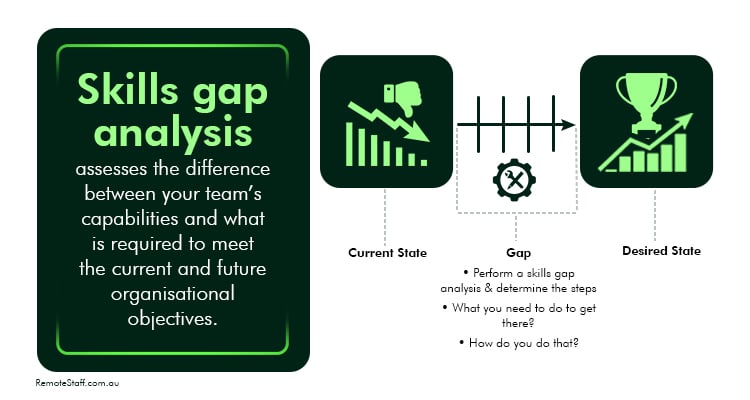
    • View our 1,000 Fully vetted, highly talented virtual staff who can take the more tedious tasks off your hands here.



    [rcb_show_form]

  • 6 Strategies for Handling Underperforming Employees

    6 Strategies for Handling Underperforming Employees

    Maintaining a high-performance team is vital to success in the modern business environment.

    However, even the best teams can have one or two members who aren’t at par with the rest.

    Perhaps your new virtual assistant has been missing a lot of their deadlines lately. Or, your admin assistant continuously turns in inconsistent output based on their last employee performance review.

    Handling these underperforming employees requires a careful and delicate approach to determine whether they only need a bit of extra help to get back on track – or if they’re no longer a good fit for your team.

    Here are some strategies you can use to address underperformance at work.

    What is Underperformance?

    In a nutshell, underperformance happens when your employees’ work quality drops below the required level/s.

    Underperformance happens when your employees’ work quality drops below the required level/s

    It can also manifest as noncompliance with work policies or unsatisfactory and/or disruptive behavior that affects other employees.

    Identify the Cause of Their Underperformance

    The first step to handling underperforming employees is diagnosing the reason for their drop in performance.

    Some might not have the necessary skills for their new responsibilities. Others might currently be experiencing personal issues affecting their performance.

    Thus, it’s best to conduct a one-on-one meeting with the person in question to discuss the issue. Once you identify the underlying issue/s, you’re better equipped to formulate an improvement plan for them.

    Clarify Expectations and Performance Goals

    Vague expectations and responsibilities at work is also a common cause of employee underperformance.

    Thus, review your expectations and performance goals with your employee during your one-on-one. This helps them better understand their role and identify areas for improvement.

    Additionally, you should also assess your expectations and performance goals for them. Are the goals you’ve set relevant to their role? Are they achievable within the time you allotted?

    Develop a Performance Improvement Plan (PIP)

    After identifying the source of your employee’s underperformance and discussing areas for improvement, you can formulate a Performance Improvement Plan.

    A Performance Improvement Plan (PIP) is a written document identifying how an employee falls short of expectations and what must be done to boost employee performance.

    A Performance Improvement Plan (PIP) is a written document identifying how an employee falls short of expectations and what must be done to boost employee performance

    PIPs serve as a roadmap for your underperforming employee and a formal record of the steps to resolve the issue.

    Schedule another meeting with your employee to discuss the PIP’s contents so they can provide feedback and ask questions. 

    Once they’ve read through the PIP, you and your employee should sign it together to acknowledge their understanding and commitment.

    Ensure Regular Check-Ins and Follow-Ups

    Continuous feedback is vital for fostering improvement.

    Schedule regular check-ins with your underperforming employee to monitor and provide feedback on their progress toward the PIP’s objectives. Depending on your schedules, these check-ins can be weekly, biweekly, or monthly. 

    Keep feedback specific and constructive to provide actionable direction.

    You may also opt to provide extra training if you deem it necessary.

    Reward Improvement

    Celebrating your employee’s progress further motivates them to keep improving.

    It doesn’t have to be grand; even a simple “good job” or “congratulations on your progress” means a lot to them.

    Aside from motivating them to continue working hard, it also shows you’re paying attention to your employees’ progress, which boosts employee morale and retention.

    If All Else Fails…

    However, if no progress is made after all the support you provided, you’re left with two options:

    • The first option is to transfer them to a different position within the company that better suits their current skills, or
    • If you’ve exhausted all options to help them with no significant improvements, it’s time to let this employee go. 

    Firing an employee isn’t ideal, but so is letting underperforming employees continue working without repercussions. Doing so slows your company’s growth and sends the wrong message to the rest of your team.

    Firing an employee isn’t ideal, but so is letting underperforming employees continue working without repercussions

    Handling Underperforming Employees the Right Way

    Dealing with underperforming employees can be tricky and time-consuming.

    That said, by following the strategies above, it’s possible to convert an underperformer into an invaluable member of your team.

    Looking for skilled Filipino remote contractors to help you grow your business? Click here to see our full list of candidates and start outsourcing to the Philippines. Good luck!

  • 6 Tips to Manage a Remote Team

    6 Tips to Manage a Remote Team

    Many businesses around the world are employing remote workers to fill the talent gap within their companies.

    If you’re a manager—or even a business owner—you know how collaboration can be especially challenging for a remote work set-up.

    So, we’ve come up with a list of strategies on how to manage a remote team better.

    Communicate Constantly

    You need to have regular communication with your remote team.

    Always provide updates on the progress of ongoing projects and ask for your team’s. This enables transparency and accountability—especially if you need to troubleshoot.

    However, this doesn’t mean you should micromanage your employees.

    Once you’ve onboarded them properly, trust that they are professionals who know what they’re doing.

    Establish Clear Expectations

    We say this all the time and for a very good reason.

    Before onboarding any of your remote employees, always set clear expectations.

    You need to establish their scope of work and how often you expect them to communicate.

    This way, your remote workers understand what you need from them.

    There would also be less back-and-forth when they already know what’s expected of them.

    Clear expectations can also provide some structure in the workplace, allowing the team to cultivate a comfortable work rhythm within the right bounds.

    Provide the Right Tools

    Having the right tools makes your remote team extremely productive and effective.

    Don’t skimp on any critical product subscriptions or your team’s performance—and by extension, your company’s bottom line—will suffer.

    For instance, if your brand needs to produce a lot of visual and written content, your remote staff might need Adobe products (such as Photoshop) for the graphics and Grammarly, or even ChatGPT, for ad copies.

    Read reviews to further ease your mind (on whether to purchase a tool).

    Don’t forget to put project management and communication applications on your list. (Fortunately, a lot of them are free.)

    Be Mindful of Time Zone Differences

    Before onboarding any of your remote employees, always set clear expectations.

    If you’re managing remote teams, always be mindful of different time zones.

    You wouldn’t want to accidentally wake up your virtual assistant for no good reason, for instance—especially when they’re asleep and living halfway around the world.

    Further, don’t schedule meetings that are too late or too early for your remote team.

    To avoid this, you can use a calendar app to gauge everyone’s availability.

    Give Regular Feedback

    Don’t forget to give constructive feedback to your team members.

    Don’t forget to give constructive feedback to your team members.

    This allows them to figure out their strengths and areas for improvement.

    You can also set daily check-ins for your team’s progress and to address any issues.

    Lastly, schedule 1-on-1 meetings for personal feedback and other training your remote worker might need.

    Plan Virtual Get-Togethers

    It always helps to establish rapport with your remote employees.

    Done correctly, it makes them feel valued and that you appreciate their work.

    Virtual get-togethers don’t have to be complicated either. A simple water cooler chat before starting a meeting can do wonders, for instance.

    Ask your team members about what they did last weekend or if they have plans they look forward to.

    You can also organize a more elaborate virtual gathering—or even an onsite one—once in a while.

    This helps you develop a better working relationship with your offshore team.

    Learn How to Manage a Remote Team

    While remote work has many benefits, it’s not without its challenges.

    Remote team management can be especially tricky as you can’t constantly monitor your team in person to help them out.

    Hopefully, these strategies will give you an idea of how you can handle a distributed team better.

    On that note, if you’re looking to fill roles in your company via a cost-effective solution, partner with a trusted staffing agency—like Remote Staff.

    Remote Staff has been around for 16 years (and counting)! We thoroughly vet our applicants to ensure that only highly qualified professionals are in our pool.

    Ready to hire? Schedule a callback today!

  • The First 6 Tasks to Assign Your Admin Assistant

    The First 6 Tasks to Assign Your Admin Assistant

    You’ve finally hired your ideal admin assistant, congratulations!

    However, you’re still at a loss on which tasks to delegate. Should you assign the simple ones first? Or is it best to assign them all upfront, so that expectations are clear from the start?

    Well, you’ve come to the right place! We’ve listed initial tasks you can delegate to your remote admin assistant to get things off to a good start.

    Let’s take a look.


    [rcb_show_form]

    First 6 Tasks to Assign Your Admin Assistant (Administrative Tasks)

    An admin assistant provides a wide array of administrative support and assistance. They enable an organisation’s and individual’s efficient operations.

    With clear instructions and defined job roles, they can help keep your daily operations running smoothly.

    Here are the first six tasks to assign your admin assistant:

    Task 1: Calendar Management

    Admin assistants are adept at managing schedules including setting up reminders, meetings, and appointments.

    You can have them coordinate availability among your remote team as needed and set up recurring meetings as well as sync calendars across different platforms.

    Task 2: Email Management

    You can also rely on your admin assistant to sort through emails. Providing them with FAQs helps, especially for handling routine inquiries.

    In addition, admin assistants can sort and file emails into relevant folders for easier retrieval. They can flag urgent messages and forward them for your immediate attention.

    Task 3: Meeting Preparation

    If you’re swamped before a meeting, your admin assistant can prepare the documents and preliminary research according to the agenda.

    Admin assistants can take minutes or notes during the meeting. Afterward, they can follow up on measures and decisions made on your behalf.

    Task 4: Data Entry and Documentation

    You can also delegate documentation and data entry tasks. Admin assistance can create reports and draft documents including letters or memos.

    Data entry takes time. Your admin assistant can make things more efficient by formatting documents to match company standards as well as summarising and organising information.

    [aslcandidates id=’2000001′]

    Task 5: Research

    Most admin assistants, especially those based in the Philippines, are fluent in English. Thus, they can research current industry trends and potential business opportunities on your behalf.

    Your admin assistant can also verify existing data for accuracy.

    Task 6: Travel Arrangements

    Finally, your admin assistant can book your flights, hotels, and rental cars on your behalf.

    You can also depend on them to research travel options and manage or adjust schedules as needed.

    Having a good admin assistant can improve your work-life balance – so long as you’re clear about what you need.

    Have them master these six initial tasks first. Once they get used to your workflow, you can give them more responsibilities and autonomy.

    Join the growing number of AU business owners who are freeing up their time and energy thanks to admin assistants from the Philippines – with the help of Remote Staff.

    For more information, call us today or request a call back now.

  • How Micromanaging Remote Workers Hurts Productivity — and What to Do Instead

    How Micromanaging Remote Workers Hurts Productivity — and What to Do Instead

    Outsourcing remote staff is truly beneficial for businesses. 

    It gives companies access to a global talent pool, reduces operational costs, and provides flexibility in scaling their workforce. 

    For example, when you hire a virtual assistant, you can delegate administrative tasks, streamline operations, and focus on strategic initiatives, all while saving on overhead costs associated with in-house staff.

    However, there is one major concern — will the staff be AS productive without in-person supervision?

    That’s why many first-time business owners tend to micromanage their online staff. 

    Unfortunately, this approach often backfires in several ways.


    Inhibits Autonomy and Creativity

    When you closely oversee all tasks, you won’t exactly encourage independent thinking.

    Based on a study, the lack of autonomy discourages employees from trying new things, solving problems on their own, and sharing fresh ideas, which slows down creativity and innovation in the team.


    Reduces Efficiency

    When you micromanage every detail, it causes delays as your remote workers await your feedback on most tasks. 

    Can you imagine how much slower your virtual assistant could respond to clients if they have to wait for you to approve every email? 


    How Micromanaging Remote Workers Hurts Productivity — and What to Do Instead Virtual Assistant - Quote 1

    Weakens Trust and Morale

    Micromanaging hurts trust and morale because it implies doubt in your team’s abilities. 

    When you closely scrutinize and control every aspect of your team’s work, it implies that you don’t believe that they’re competent or capable enough to complete tasks on their own.


    Increases Stress and Burnout

    When you constantly micromanage, it creates a sense of anxiety and fear among remote workers, as they feel the need to constantly prove themselves – even when they don’t.

    Despite the belief that this high-pressure environment is helpful, it actually leads to more stress and burnout, which lowers productivity and increases turnover rates.


    What To Do Instead

    Because micromanagement harms productivity and team morale, it’s crucial to consider better ways to create a positive and effective work environment.

    Here are some tips for managing your remote team better:


    Set Clear Expectations and Goals

    Instead of dictating every step of the process, set clear goals and expectations for remote workers — and give them flexibility so long as they accomplish these. Make sure they understand their role and how this fits into the organization’s goals. 

    For instance, if you hire a virtual assistant to handle your email inbox, set expectations for how fast emails should be answered, which ones need urgent attention, and any preferences for sorting and prioritizing messages.

    This way, you empower them to take ownership of their work and make decisions independently while building trust and accountability.


    How Micromanaging Remote Workers Hurts Productivity — and What to Do Instead Virtual Assistant - Quote 2

    Communicate Effectively

    Effective communication helps remote workers understand expectations, receive timely updates, and address any challenges they may encounter.

    Also, open and transparent communication builds trust, fosters accountability, and keeps remote workers engaged and motivated.


    Encourage Independence

    This is especially important if you want your remote workers to function without too much supervision.

    For example, if you hired an admin assistant, you can delegate the decision-making authority on some tasks like scheduling meetings, managing correspondence, and organizing files.

    Give them the freedom to use their skills and expertise, fostering a sense of empowerment and responsibility to accomplish tasks in their own way.


    Trust Your Team

    When you trust your remote workers to make decisions and take ownership of their tasks, it encourages them to work independently and creatively.

    It fosters a culture of autonomy, accountability, and collaboration- and makes them feel valued and respected for their contributions.

    With the tips above, you can effectively manage your remote team without micromanaging them.

    Want to build your dream remote team? You can call us or schedule a callback to find your remote staff today!

  • What Are Skill Gaps and How Do You Address Them?

    What Are Skill Gaps and How Do You Address Them?

    Many companies today are increasingly concerned about how to address the sudden skill gaps in their workforce.

    Skill gaps refer to the void between industry skill requirements and the actual skills applicants and employees possess.

    Skill gaps refer to the void between industry skill requirements and the actual skills applicants and employees possess


    These gaps are a key factor in labor shortages worldwide, particularly the recent accountant shortage in Australia. According to one study, skill gaps cost companies one million dollars (USD) yearly.

    To help you overcome this challenge, here are some strategies to identify and address skill gaps in your team.

    What Causes Skill Gaps?

    There are several factors contributing to the increase in skill gaps today. These are:

    • Advances in Technology: Rapid technological progress, especially in artificial intelligence (AI), often outpaces the typical worker’s ability to adapt, leading to the shortages of necessary technical skills.
    • Educational Shortcomings: Sometimes, traditional education fails to equip graduates with practical skills for today’s job market.
    • Changing Industry Demands: As industries evolve, new roles will emerge that require a different skill set than the ones currently in existence.
    • Aging Workforce: As more experienced workers retire, it gets more challenging to find young workers with the necessary skills and experience to replace them with.

    How to Identify Skill Gaps in Your Team

    Before you can address the skill gaps in your team, you must first identify which skills they currently lack. The best way to do so is by conducting a skills gap analysis.

    A skills gap analysis assesses the difference between your team’s capabilities and what is required to meet the current and future organisational objectives. It helps you plan the right training and support to make your employees more effective at work.

    skills gap analysis assesses the difference between your team’s capabilities and what is required to meet the current and future organisational objectives


    How to Conduct a Skills Gap Analysis

    There are three steps to conducting a skills gap analysis:

    • Define Your Objectives and Identify Key Skills
      • Identify your objective for conducting the skills gap analysis. Is it to address immediate skill shortages? To prepare for future openings?
      • Next, identify the skills your team needs to achieve your business goals. These include technical (data entry, programming, software development) and soft skills (critical thinking, leadership, communication).
    • Gather Data for Analysis
      • Once you’ve identified the skills vital to your business, it’s time to assess your team’s current proficiency. This can be done via performance reviews, skill tests, and managerial feedback.
      • Measure their performance with established Key Performance Indicators (KPIs) to help identify areas where employees lack the necessary skills to meet job requirements.
      • Determine which skill gap to prioritize by measuring their impact on your business’s goals and operations. 
    • Develop an Action Plan
      • After identifying which skill gaps to prioritize, create a detailed action plan to address them
      • Provide the necessary training and support for your employees. Continuously monitor their progress and make adjustments to your plan as needed.

    Strategies for Closing Skill Gaps

    After determining the skill gaps within your team, here are ways to address them:

    Promote Lifelong Learning

    Encourage your team to continuously hone their skills and learn new ones by investing in their training and development.

    Encourage your team to continuously hone their skills and learn new ones by investing in their training and development

    This includes providing in-house training programs, workshops, online courses, and certification programs. Additionally, give them opportunities to apply what they’ve learned and celebrate their successes. 

    Doing so helps them keep pace with advances in their fields and boosts employee trust and morale.

    Implement Mentorship Programs

    One way to pass down your senior employees’ experience to more junior members is by pairing them up in mentorship programs.

    This helps provide hands-on learning opportunities for newer employees and fosters a supportive learning environment for them.

    Work With -Not Against- AI

    Contrary to what some fear, AI won’t fully replace humans in their jobs. Instead, it will help them be more productive.

    Use AI to help predict future skill needs based on trends and business goals and then set training initiatives accordingly.

    Additionally, AI can also recommend personalized learning paths for employees based on their current skills and progress.

    Recruit Strategically

    When hiring new employees, don’t just focus on the skills you need now, but also on potential requirements based on your company’s goals and industry trends.

    Look for candidates with a strong eagerness to learn. Offer a clear and straightforward onboarding process to them so they can quickly acclimate themselves to your company.

    Outsource Your Business Needs

    An increasingly popular way for many businesses to gain access to specialized skills is by outsourcing them to professionals from countries like the Philippines.

    Not only is it a quick solution to skill gaps, but it also helps you avoid the overhead cost of hiring their in-house counterpart.

    Aside from roles like virtual assistants and admin assistants, many AU companies also outsource their accounting and human resources needs to remote contractors.

    Bridging the Gap Between Employees and Their Roles

    Career gaps, if left unresolved, greatly diminish your team’s productivity and slow down your business growth.

    Fortunately, by following the tips above, you can better address the skill gaps within your team and propel your business to newer heights.

    Considering outsourcing to the Philippines to help you close your team’s skill gaps? Click here to see our full list of candidates. Good luck!

  • How to Conduct Performance Reviews for Admin Assistants

    How to Conduct Performance Reviews for Admin Assistants

    Performance reviews for virtual assistants and offshore workers, or for local staff, are often frowned upon by managers and employees alike. And it’s understandable. After all, giving and receiving feedback feels uncomfortable– even if it’s constructive.

    However, performance evaluations are necessary for professional and business growth. Regularly conducting performance reviews enables organisations to improve performance, boost the company’s overall performance, and support company goals.

    Let’s take a look at how you can go about it with as much convenience as possible, starting with your admin assistant.

    Conducting Performance Reviews for Admin Assistants: Understanding Key Responsibilities

    An admin assistant getting a good performance review.

    An administrative assistant provides clerical support to companies, usually to keep the office running smoothly.

    Most admin assistants also coordinate with employees and third parties, including suppliers. They can perform various tasks from remote locations, such as:

    • Writing and responding to emails;
    • Maintaining office policies;
    • Taking phone calls;
    • Scheduling appointments;
    • Making travel arrangements; and
    • Communicating requests from management to the rest of the members.

    How To Conduct Performance Reviews for Remote Teams

    A manager conducting performance reviews under Fair Work.

    Employee performance reviews should provide fair assessments. Done right, the performance review process provides strong recognition and encouragement and can even increase employee engagement.

    How To Write Performance Reviews

    Step 1: Prepare.

    When conducting quarterly or annual performance reviews for Australian small businesses, have a thorough understanding of your admin assistant’s job responsibilities. Gather relevant information such as the job description, relevant performance metrics, and any documents related to your admin assistant’s work.

    Step 2: Set Criteria and Objectives.

    Establish measurable goals that align with your organisation’s objectives. You can even use or create admin review templates. This will serve as your basis when you conduct the performance review. Additionally, define clear performance objectives and the criteria for your ideal admin assistant. Use the job description as your guide.

    Step 3: Schedule a Meeting for the Actual Review.

    Set up a meeting with your admin assistant to discuss their performance review. Ideally, their onboarding should inform them about regular performance reviews.

    Nevertheless, provide advance notice and choose a suitable time for both parties where you can conduct the review without interruptions.

    Step 4: Gather Feedback.

    Aside from your observations, it’s best to collect feedback from relevant stakeholders such as team members or supervisors. For a fair evaluation, consider both qualitative (observations, comments) and quantitative (performance management metrics) feedback.

    Get Matched AI Recruiter Banner

    Step 5: Provide Constructive Feedback.

    Begin by acknowledging what your admin assistant has done well. After highlighting their areas of strength, identify the areas for improvement.

    Constructive feedback should focus on their behaviour, not their personal attributes. It should also be specific and actionable. Afterwards, discuss strategies for improvement and development.

    Step 6: Document the Review.

    Always document the key points discussed during the performance review meeting. This way, both parties have a reference in case of clarifications or questions. Include the areas for improvement and the agreed-upon goals.

    Step 7: Provide Support.

    Employee reviews periodic in nature aim to enhance employee performance, professional development, and career growth for the long term. This is why implementing and monitoring the steps forward are important, and should be viewed as a meaningful part of goal setting.

    Moreover, you need to provide the right support to make sure the feedback is effectively acted upon.

    Step 8: Acknowledge Contributions.

    Lastly, don’t forget to show appreciation for your admin assistant’s dedication, hard work, and commitment to their jobs. Acknowledge and recognise their contributions and achievements, especially when they deserve it, along with a performance appraisal where warranted.

    By following these steps, conducting performance reviews can be easier and more effective.

    However, if you want an admin assistant that generally aces their performance reviews, it’s best to hire the right one from the get-go.

    This is where Remote Staff comes in. For the last 16 years and counting, Remote Staff has been providing AU entrepreneurs like you with skilled admin assistants from the Philippines.

    For more information, call us today or request a call back now.